
Forms that reach your inbox
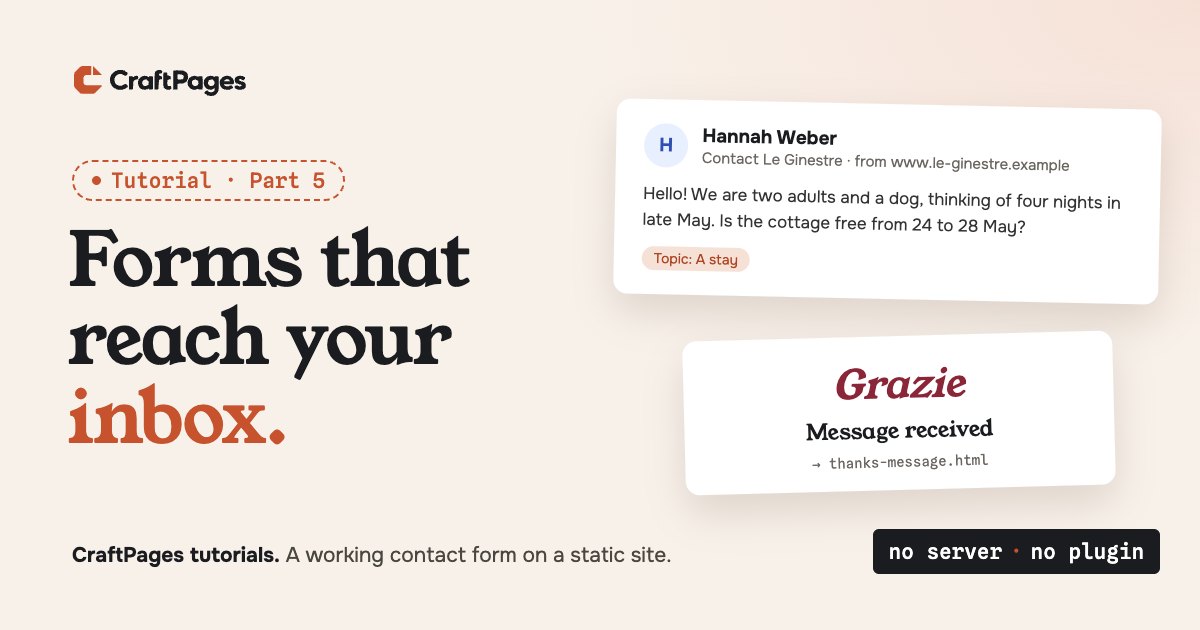
After part 4, Le Ginestre looks right to Google. But one thing on the site has never worked. The contact page has a neat form: name, email, topic, message, a Send button. A guest fills it in, gets a friendly "Grazie" page, and Chiara never hears about it. The form only goes to the thank-you page. Nothing is sent anywhere.
That isn't a bug in the template. A static site is just files, and files can't send email. Something has to receive the message and pass it on. Here's how Le Ginestre got that something for free, without leaving CraftPages for long.
Step 1. Connect a forms account
Click Forms in the sidebar. The screen says what it's for in one line: contact, booking and order forms, from CraftForms, and it's optional. The Free plan is one form on one website, with unlimited submissions.
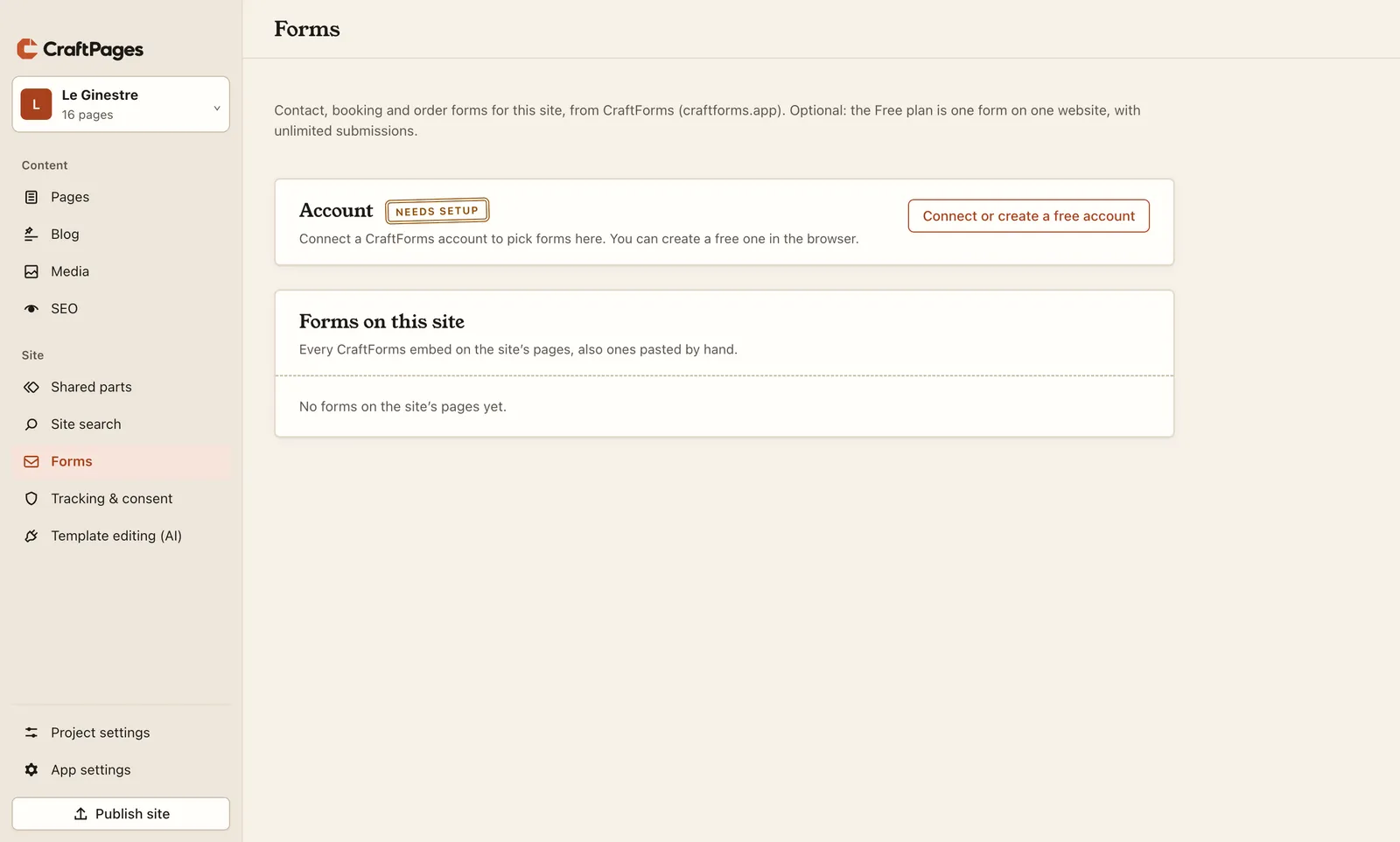
Connect or create a free account opens the browser. Chiara didn't have an account, so she clicked Create a free account and typed her name, email and a password. The next page asks whether CraftPages may use the account, and says what it can and can't do.
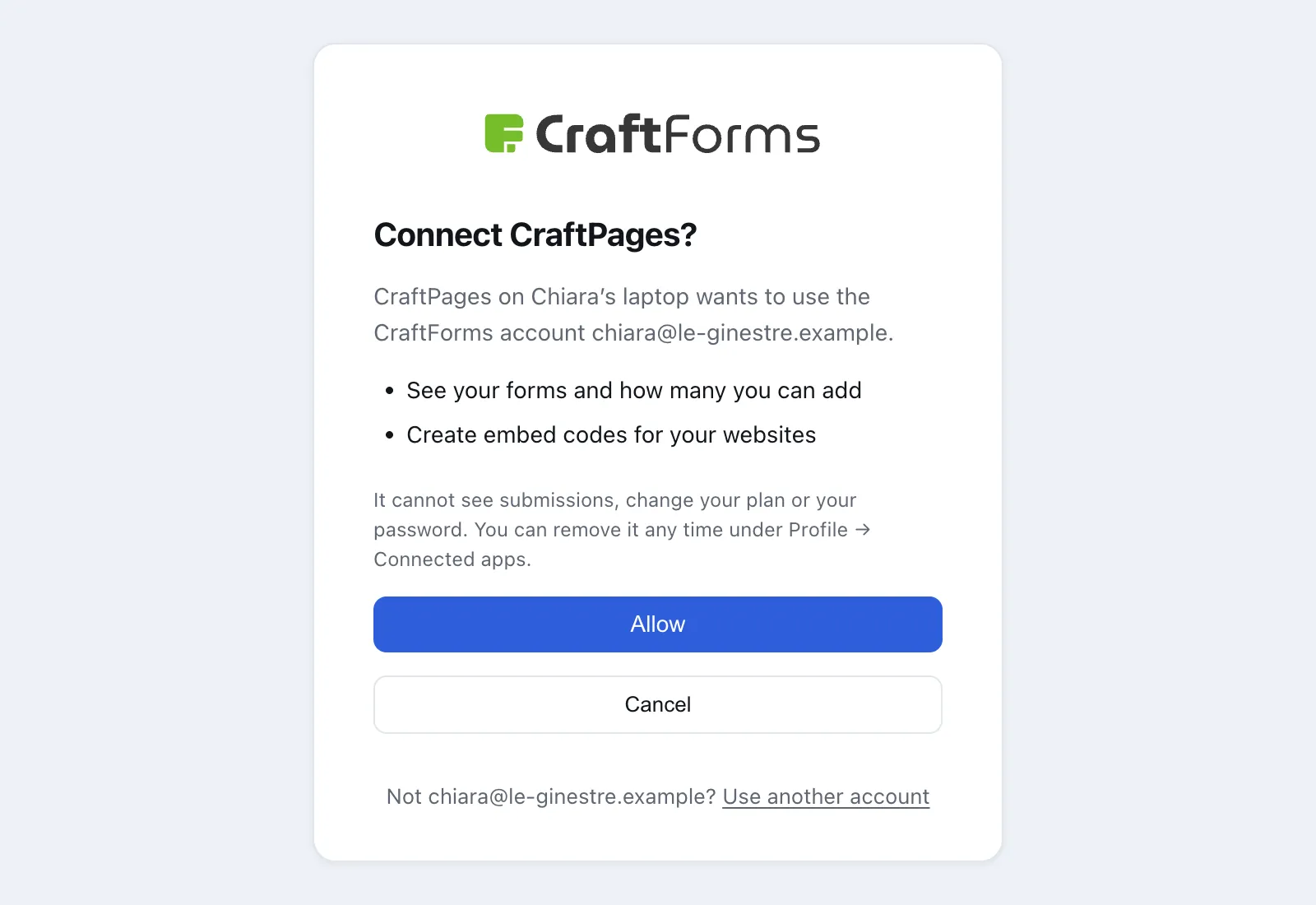
Allow, and the browser says you can go back to CraftPages. One more thing happens in the inbox: CraftForms sends an email to confirm the address, and the account's forms site is set up once you click its link. Until then, the Forms screen says so.
Step 2. Make the form
Open CraftForms dashboard, then Forms and Add New. You don't start from an empty page: CraftForms offers starters for the usual jobs.
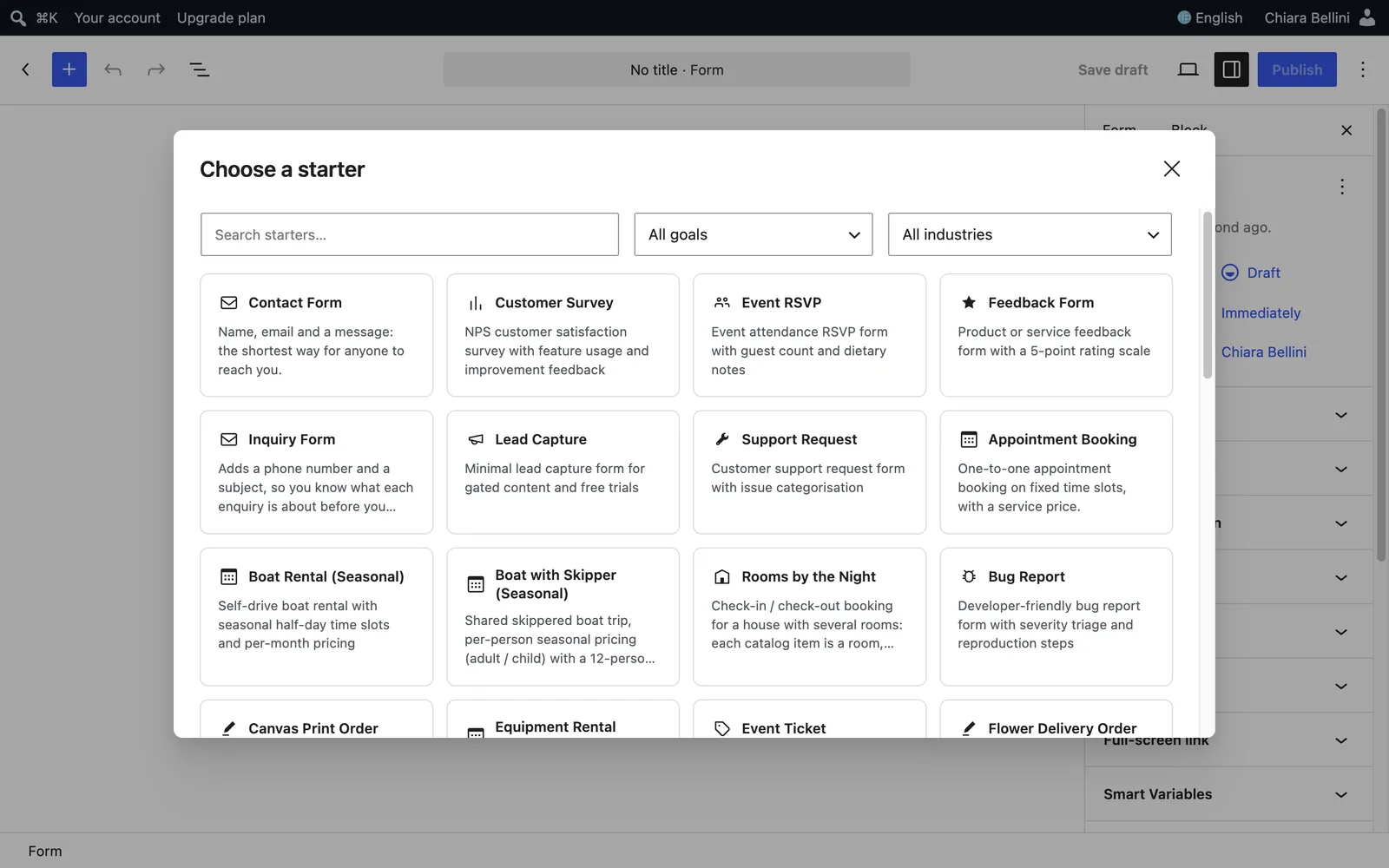
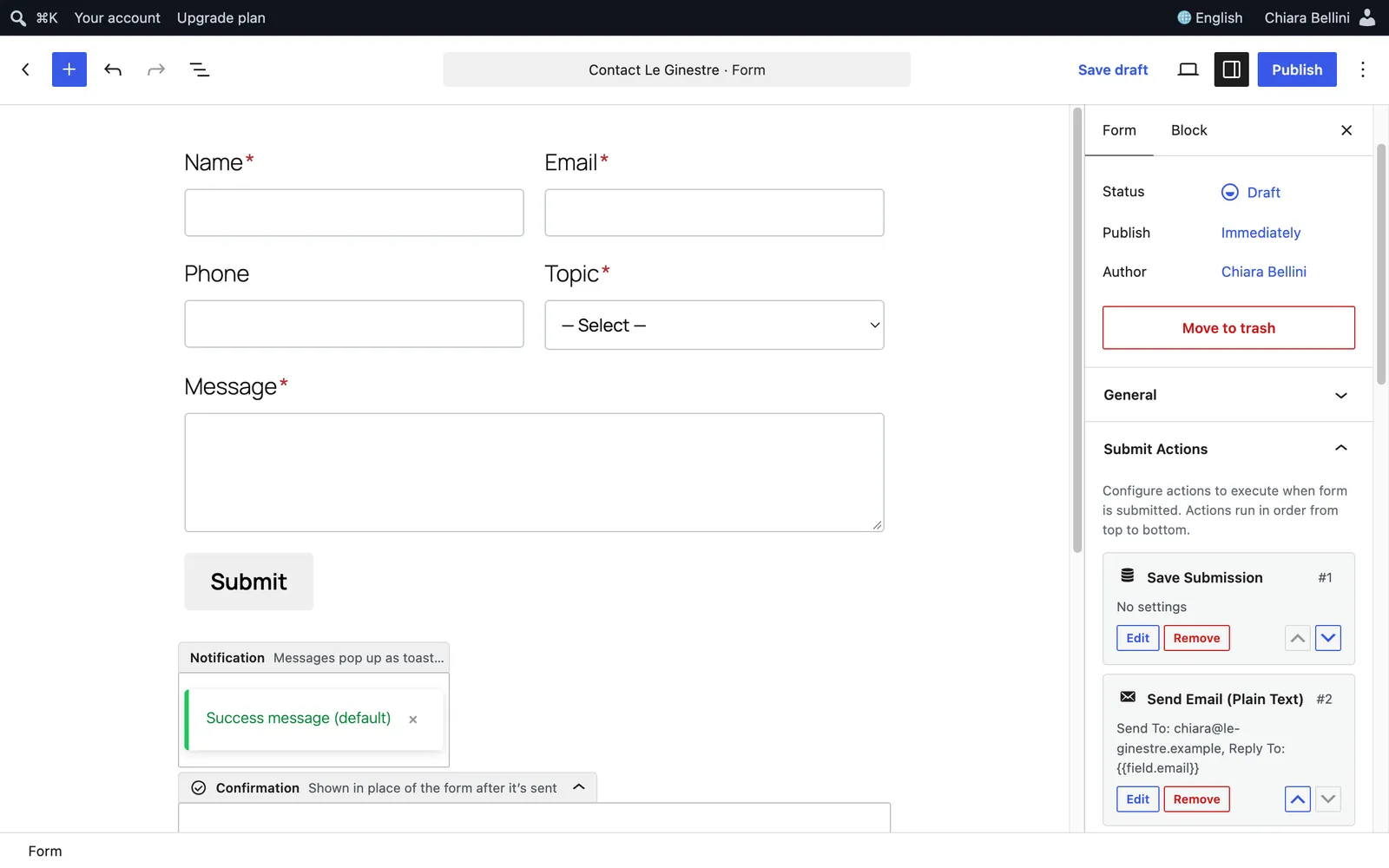
Chiara chose Inquiry Form: name, email, phone, a subject list and a message. She changed three things to make it Le Ginestre's:
- The list is now called Topic, with A stay, Wine tasting, Getting here and Something else, the same choices as the old form.
- The phone is optional. Plenty of guests would rather not give one.
- She named the form Contact Le Ginestre.
Then the two settings that make it reach her. Under Submit Actions, Add Action and Send Email (Plain Text): send to her own address, with Reply to set to {{field.email}}, so pressing Reply in her mail answers the guest. Under After Submission, the Redirect URL is the template's own thank-you page, https://www.le-ginestre.example/thanks-message.html. Then Publish.
That thank-you page is the one part 4 kept out of the sitemap. Now it finally has a job: guests land there after sending.
Step 3. Back in CraftPages: check it, see it
Back in Forms, click Refresh. The form is listed, and the account line shows what the Free plan has left: Forms 1 of 1 · Websites 0 of 1.
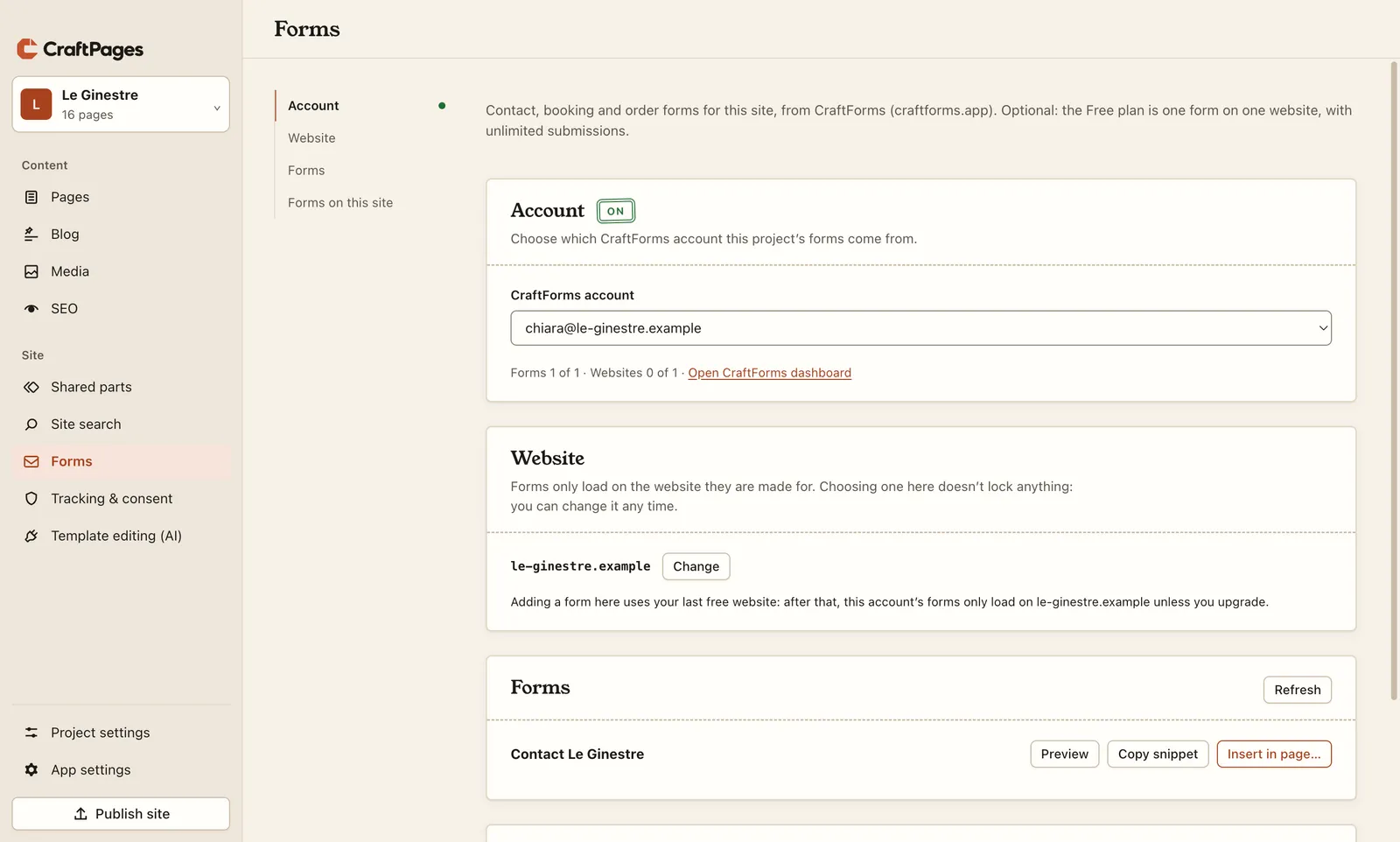
The Website part matters. A form only loads on the website it's made for, so nobody can copy it onto another site. CraftPages filled in le-ginestre.example from the site address Chiara set in part 2. It also says plainly that this uses the Free plan's one website.
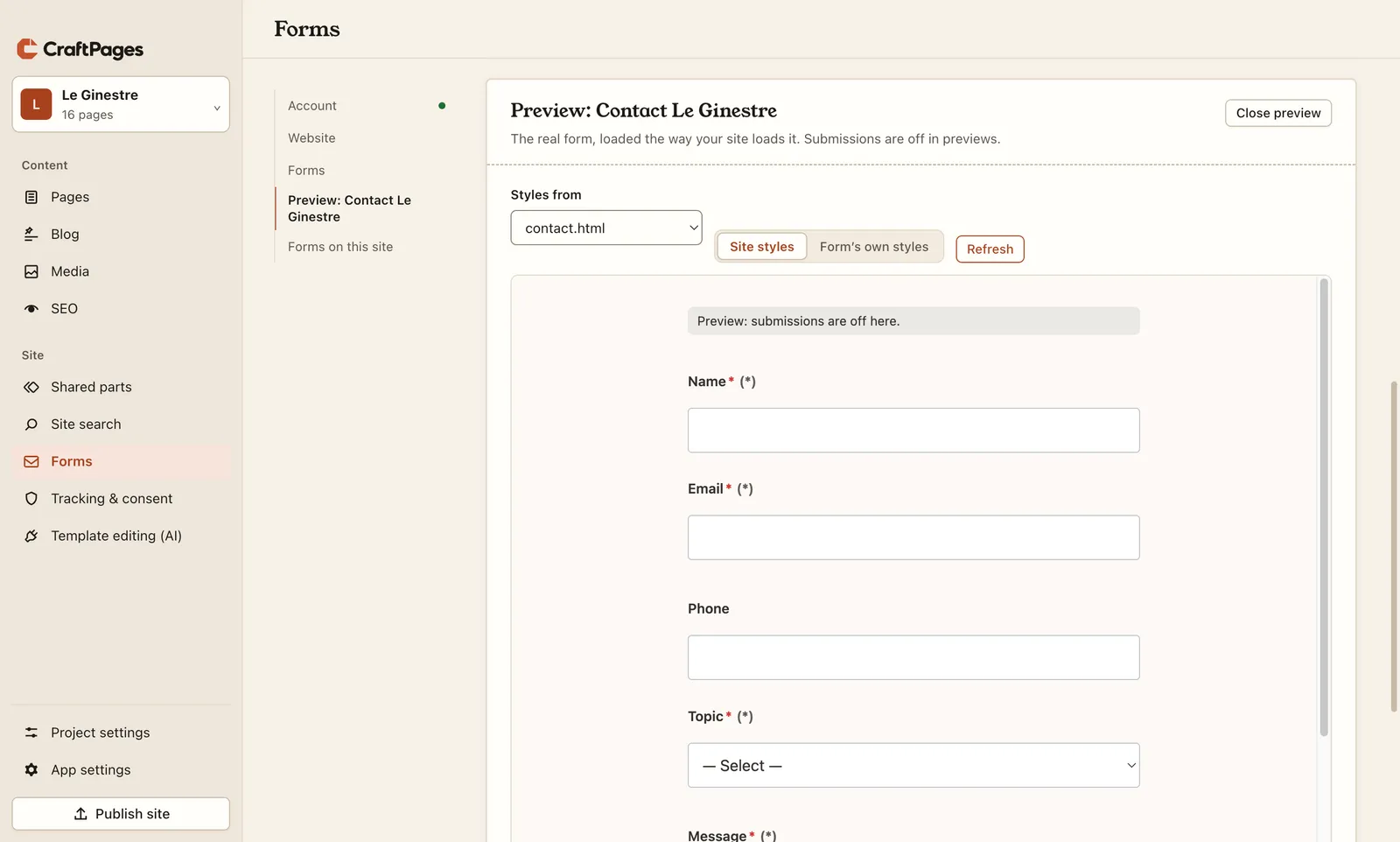
Preview shows the real form, loaded the way the site loads it. Under Styles from, pick contact.html and Site styles: the form takes the page's fonts, fields and colours. Submissions are off in previews, so you can click around.
Step 4. Put it in place of the old form
Insert in page… first asks once to confirm the website: This uses your last free website. Continue? Then it shows the site. Choose contact.html and click the old form.
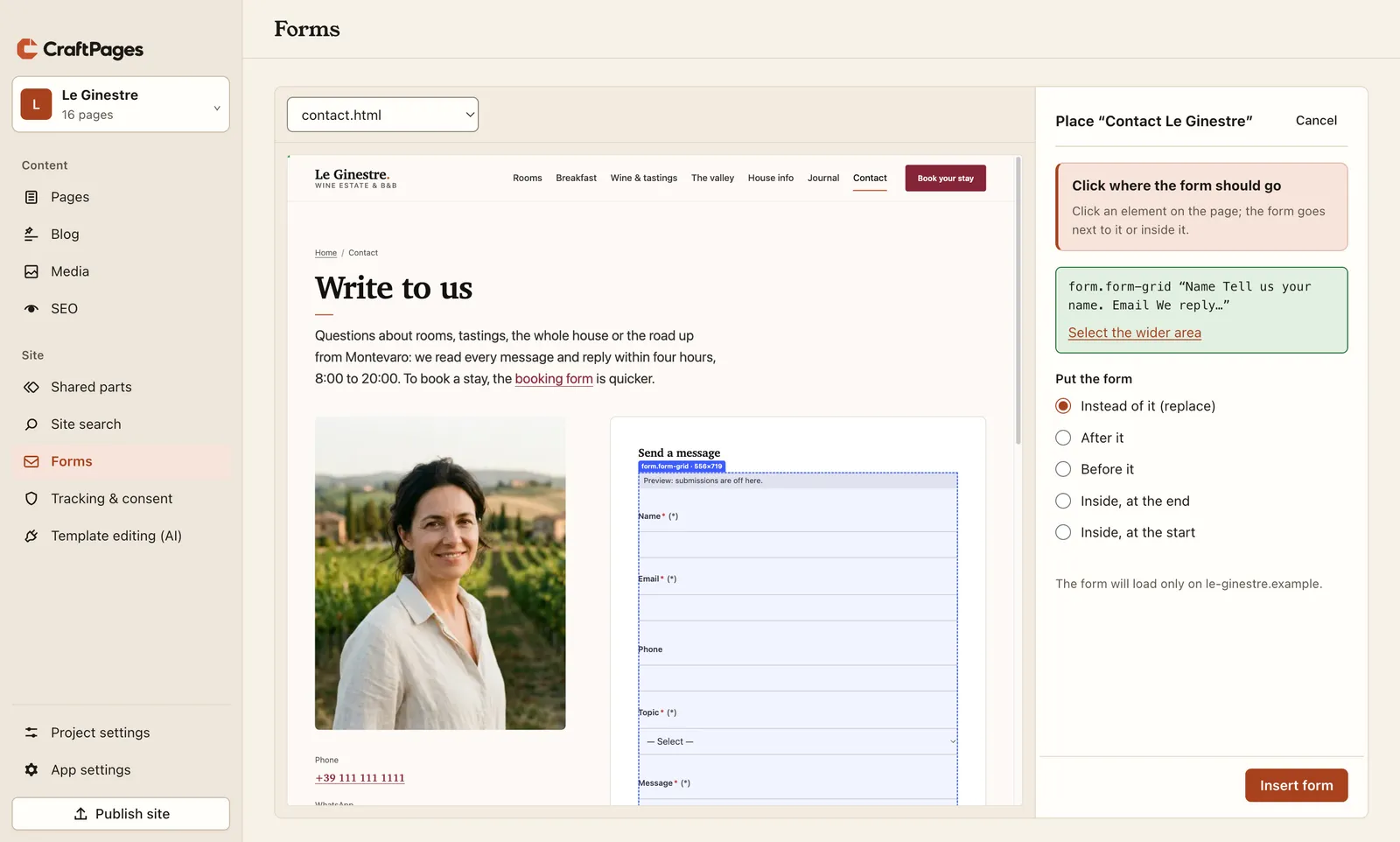
Because Chiara clicked a form, Instead of it (replace) is already selected (new in CraftPages 1.5.3). The other choices put the new form before, after or inside what you clicked, for pages that never had a form. Insert form, and the page is changed in one step that you can undo, like any edit.
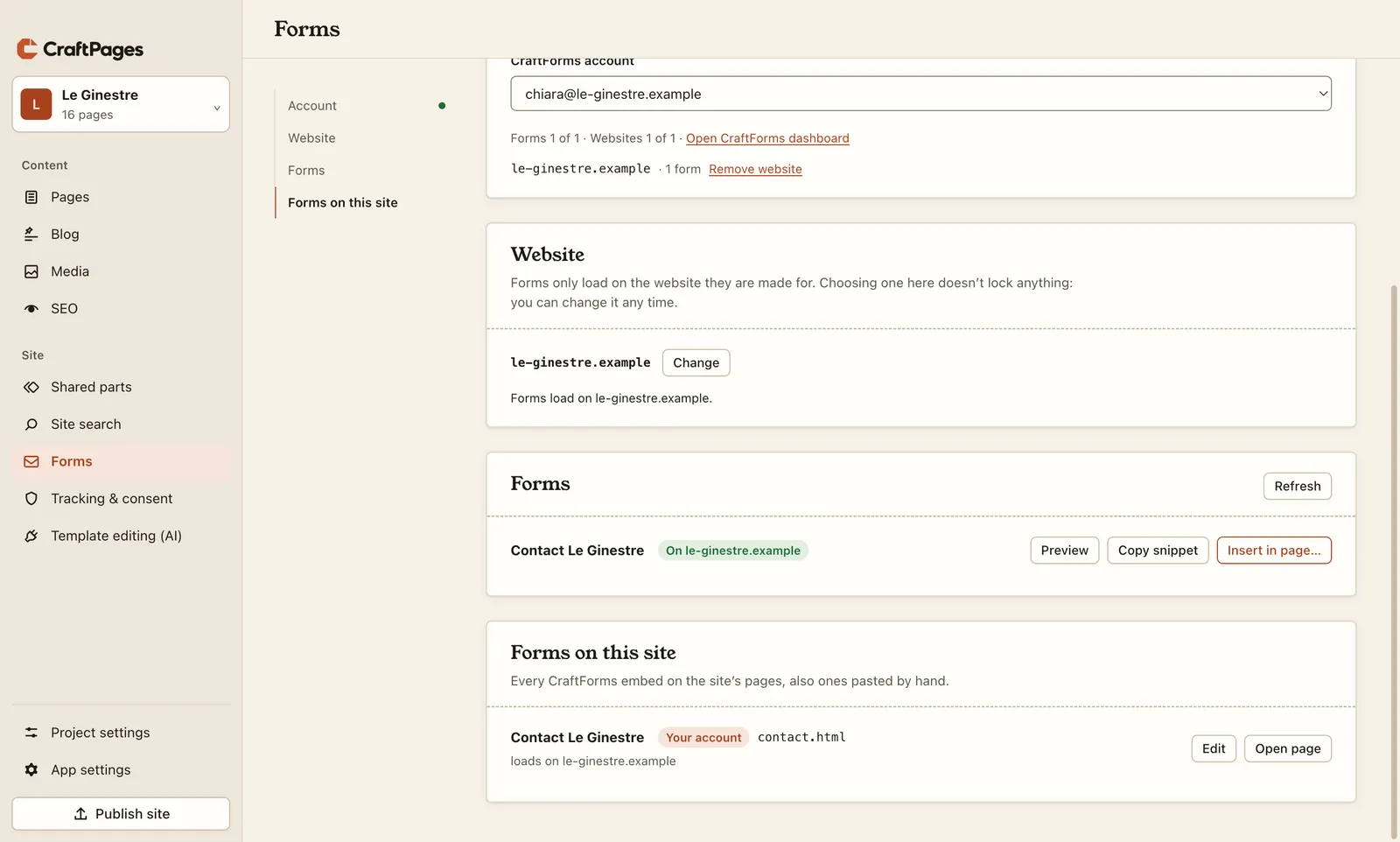
Forms on this site lists every form on the site's pages, also ones pasted by hand, and warns if one is made for a different address than the site's or is missing its script. Edit changes its settings or swaps it for another form.
Step 5. Publish, and send the first message
Publish site. One page changed, so one file goes up, as in part 2. Then the real test, from a phone or another browser: open the contact page, fill it in, press Submit.
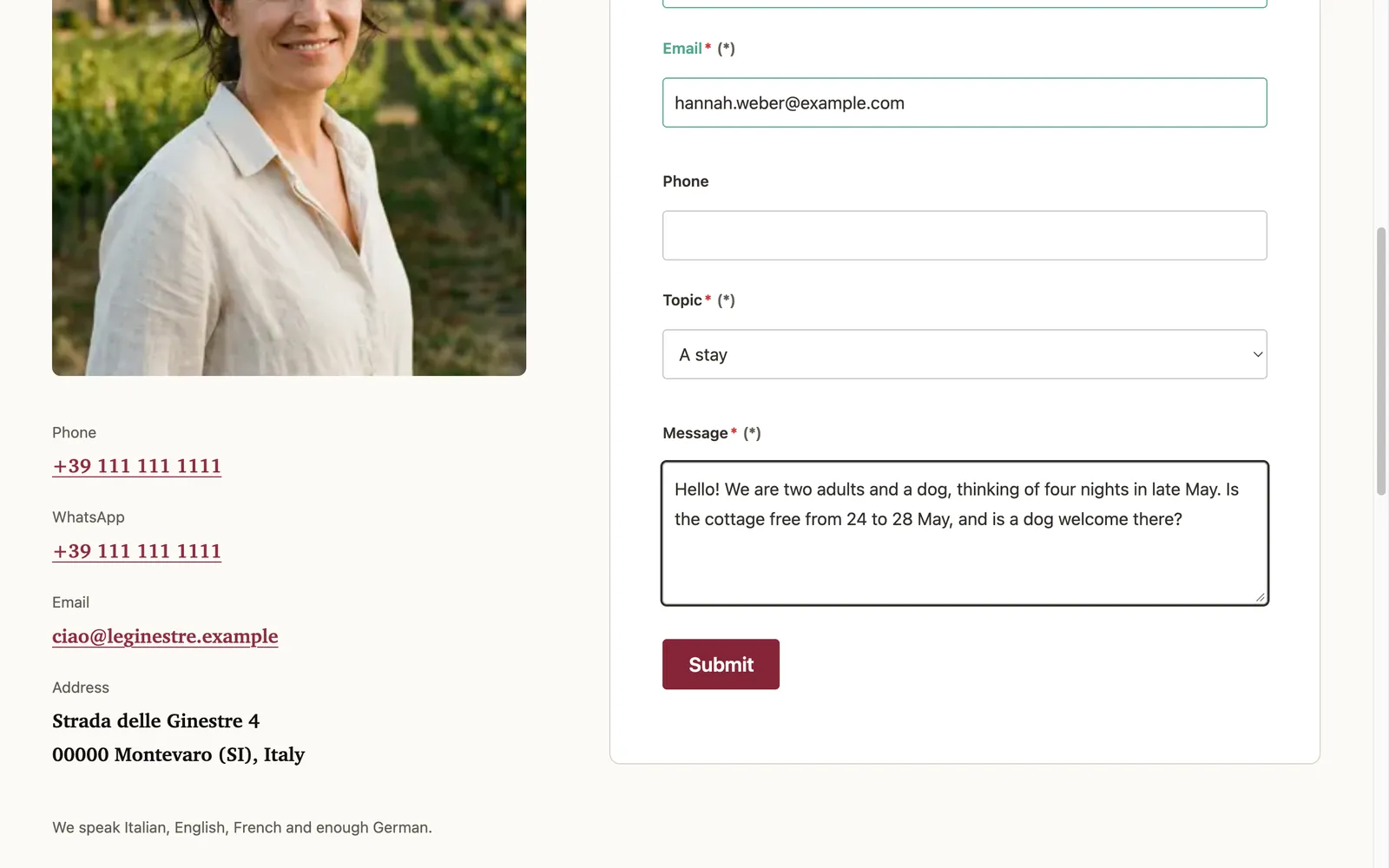
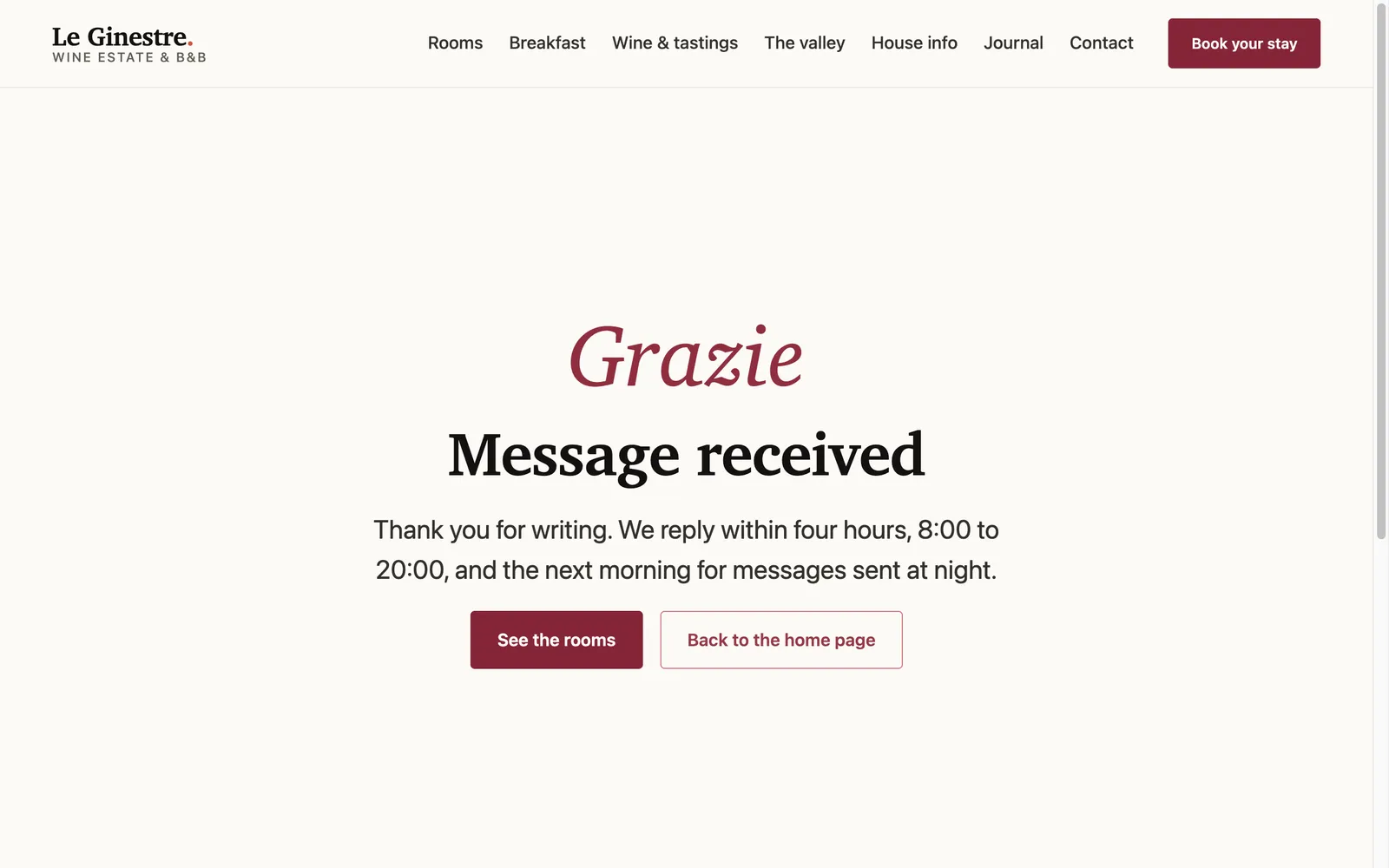
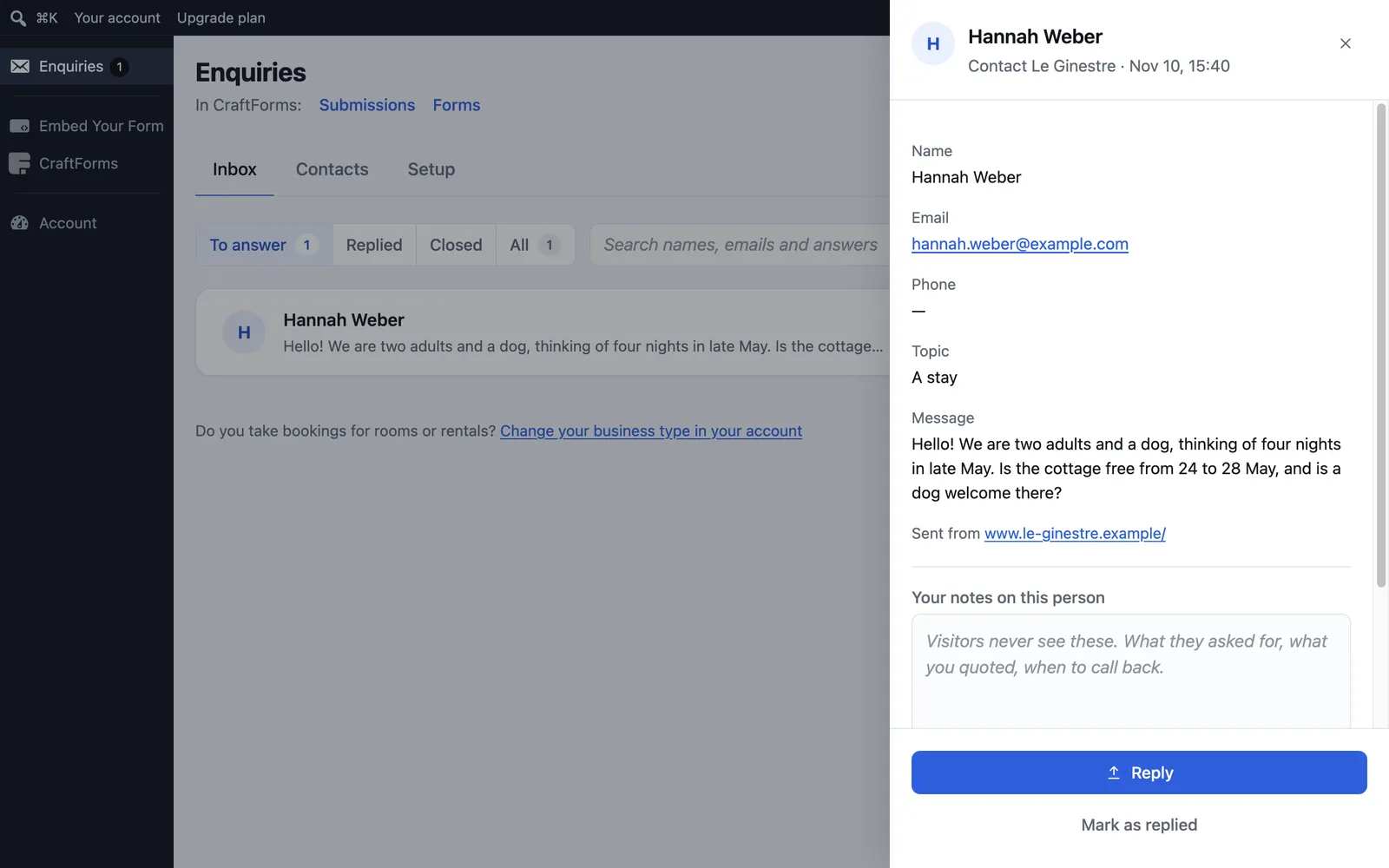
The message is in Chiara's email, and also in CraftForms under Enquiries, where it stays even if an email gets lost. There she can see what came in, reply, and mark it as replied.
What Free covers, and what it doesn't
The Free plan is one form on one website, and submissions are unlimited. It includes 100 notification emails a month. After that every message is still saved, and you get one summary email a day instead of one per message. For a small B&B's contact page that's plenty.
But be honest with yourself about the rest of the site. Le Ginestre's template also has a booking request, a room request, a tasting request and a newsletter form, and they're still the template's demo forms. Each one shows a thank-you page and sends nothing. A guest who "books" there thinks they've asked for a room, and Chiara never knows. Until those forms are connected, she has two choices:
- Point people to the contact form. Change the Book your stay button and the booking links to
contact.html, the way part 1 edits any link. The contact form's topic already has A stay. - Connect them all. The Solo plan (€6 a month, the first 30 days free) has 25 forms for one website. Each form goes in the same way: make it in CraftForms, then Insert in page… and Instead of it.
Chiara did the first today and put the second on her list for spring.
A short technical note
This is everything CraftPages wrote into contact.html, in place of the old <form>:
<div
  data-craftforms-embed="aHR0cHM6Ly9…">
</div>
<script src="https://…forms.craftforms.app/…/embed.js" defer></script>
A placeholder, and a script that fills it with the form when the page opens. The form is plain HTML in your page, not a frame, so the site's CSS styles it. The key names the form and the site it comes from, and only works on le-ginestre.example.
What you didn't have to do
No server and no mail script. No form service's address pasted into an action attribute, no embed code copied from one window into another, no hunting for the right spot in the HTML. No new design for the form either: it uses the site's own. One account, one form, one click on the old form.
The series
- Edit your website like a document
- Put your site online
- Analytics and a cookie banner, done properly
- SEO in an afternoon
- Forms that reach your inbox (you are here)
- A journal (blog) in your own design
- Two people, two computers, one site: sync that combines edits and never overwrites
- A second language: Italian pages next to the English ones, with a language switcher
- Let an AI change the design: template edits you approve one by one
Next time: a journal in your own design. Le Ginestre's template has a journal page with sample posts. We'll turn it into a real blog, with a post editor, tags, an RSS feed and posts that publish themselves on a set day.