
Still a static site: languages, forms, search and a blog, hosted for free
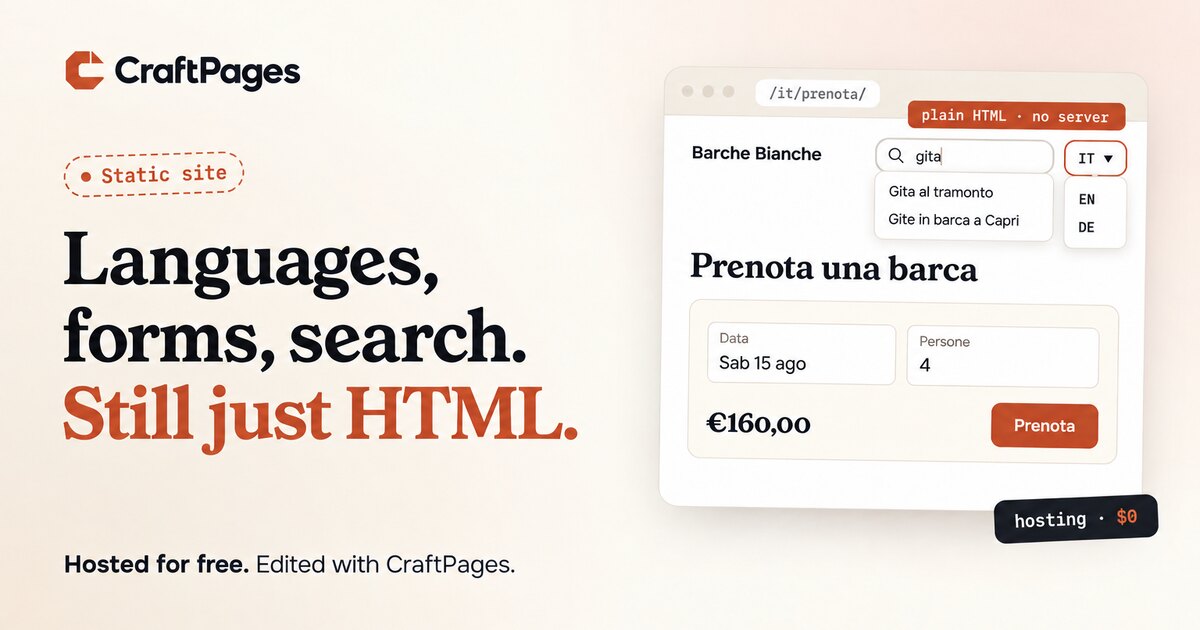
Picture a small boat rental on the coast. Its website is in English, Italian and German. Visitors can search it. They can book a boat for a date, for a number of people, and see the price. There's a blog with trip ideas, each post in all three languages. The owner changes prices, photos and opening hours without calling anyone.
That sounds like a WordPress site with half a dozen plugins. It can just as well be a folder of HTML files, hosted for free.
This post walks through what a static site can do when you pair it with CraftPages, and for each part, what actually has to run on a server.
What "static" means here
A static site is pages that already exist as files: HTML, CSS, images. When someone visits, the server sends the file. No code runs, no database is asked anything.
That's why static sites are fast, hard to break into and cheap to host. It's also why people assume they can't do much. Most of that assumption is out of date.
Editing, by the person who owns the site
The owner opens the site's folder in CraftPages, clicks the text on the page and types. Images, links, page titles and descriptions work the same way. Nothing is written until Save all, and every save can be undone.
CraftPages edits the HTML files in place. It doesn't import the site into a database or convert it to a theme, so the site stays the code it was, plus the edits.
Runs on a server: nothing. The editor is a desktop app.
A blog in the site's own design
Point CraftPages at a page that looks like a post and one that looks like a list of posts. It builds every post, the paginated list, tag pages, an RSS feed and the sitemap entries, all as plain HTML in your design. You write posts in the WordPress block editor, the same one many people already know.
Runs on a server: nothing. The blog is pages, written when you publish.
Several languages
Each language is a folder of real pages: /about/ in English, /it/about/ in Italian, /de/about/ in German. CraftPages copies the pages you choose into a new language, sets lang and the hreflang links that tell search engines which page is which translation, and shows you which pages still need translating or went out of date when the original changed.
A language switcher goes where you click. It can be a dropdown that shows only the languages a page has actually been translated into. The blog and search follow along, with posts, tags, a feed and a search index per language.
Runs on a server: nothing. The links between languages are in the pages.
Forms, bookings and payments
This is the one part a static page can't do alone: a submitted form has to go somewhere. It goes to a hosted form service, and the page holds a short snippet that loads the form.
We make one, CraftForms, and CraftPages inserts its forms where you click. It handles contact forms, bookings with real availability, quotes with a live price, and deposits through your own Stripe or PayPal account. A form speaks the language of the page it's on, so the same booking form shows Italian buttons on /it/ and German on /de/. The free plan is one form on one site, with unlimited submissions. Any other form service with an embed snippet works too.
Runs on a server: the form service. Your site is still files.
Search
CraftPages writes a search index: one file with the text of every page, rebuilt each time you save or publish. When a visitor opens search, their browser downloads it once and shows results as they type. One index per language.
This holds up for longer than most people expect. We measured how long in Static site search: when the browser is enough.
Runs on a server: nothing. The visitor's browser does the searching.
Search engines and sharing
Page titles and descriptions, a sitemap, social images cropped to the size Facebook and LinkedIn expect, and a check that flags what's missing. All of it ends up as tags in the HTML and files next to it.
Runs on a server: nothing.
Changes from an AI, with review
A plain HTML page is the easiest thing there is for an AI to read and change: what's in the file is what the visitor sees. Connect Claude, Codex, Cursor or another AI tool to CraftPages, and it proposes changes. You see each one as a diff with a live preview, and accept or reject it.
Runs on a server: nothing on yours.
Publishing, and hosting for free
CraftPages publishes to Cloudflare, where serving static files is free, including on the free plan. Or to any web host over FTP, FTPS or SFTP, if you already pay for one. Only changed files are uploaded, and every publish is kept as a version you can restore.
So the bill for the boat rental's site is the domain name. The hosting, the editor and the blog cost nothing, and the form is free up to one form.
What's in the folder
Open the site's folder and you'll find HTML pages, a CSS file, images, a feed, a sitemap and a search index. That's the site. Stop using CraftPages and every page still works, with every edit you made.
That's the part we like most. Static used to mean giving things up. Now it mostly means having less to look after.
Download CraftPages: free and open source for macOS, Windows and Linux.