
Static site or WordPress? When static is the better choice
WordPress runs a huge share of the web, and for many of those sites it's more machinery than the job needs. A five-page site for a B&B doesn't need a database, an admin login, a PHP version to keep current and a dozen plugins to patch. It needs pages that load fast, stay up and are easy to change.
That's what a static site is: plain HTML, CSS and images, served as files. No code runs on the server when someone visits. This post is about when that's the better choice, when it isn't, and how the line between the two has moved.
What you give up, and what you get
On a WordPress site, every visit can run PHP and query a database to build the page. On a static site, the page already exists and the server just sends it. Everything else follows from that:
- Less to attack. There's no admin login to guess, no plugin with a vulnerability, no database to inject into. Most security holes found in WordPress sites are in plugins, and a static site has none.
- Less to maintain. No core, theme and plugin updates every few weeks, and no update that breaks the layout.
- Fast by default. Files come straight from a CDN close to the visitor. There's no caching plugin to tune, because there's nothing to cache.
- Cheap or free to host. Cloudflare, Netlify and others host static sites on free plans, and any shared hosting with FTP works too.
- Easy to move and to back up. The site is a folder. Copy it and you have a backup; upload it elsewhere and you've moved.
What you give up is anything that has to happen on a server at the moment a visitor does something: logging in, saving a comment, checking stock, taking a payment, receiving a form.
When a static site is the better choice
Static fits when the content is mostly the same for every visitor and changes when you change it, not when visitors do:
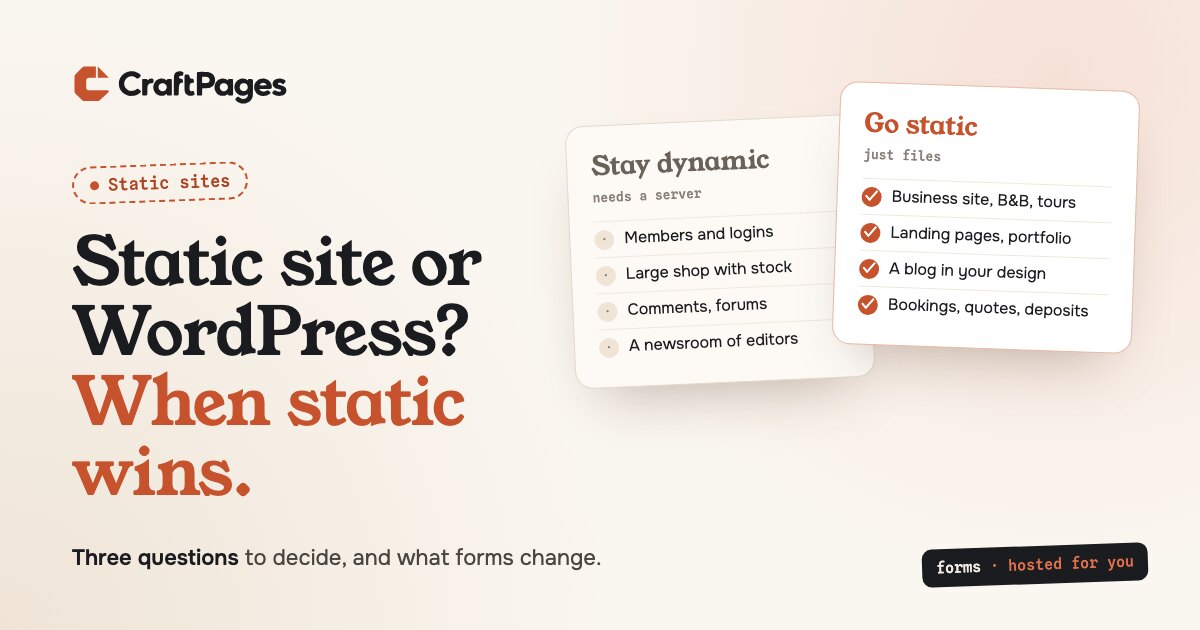
- Business sites: a restaurant, a B&B, a tour operator, a studio, a local shop. A handful of pages, opening hours, photos, a way to get in touch.
- Landing pages and product sites, where speed and reliability count most.
- Portfolios, personal sites and resumes.
- Small and medium blogs, written by one person or a few.
- Documentation and guides.
- Sites made by a developer or an AI, for a client who only needs to change the text and images.
When WordPress still makes more sense
Some sites need a server, and pretending otherwise just moves the server somewhere more awkward:
- Members and logins: courses, paywalls, customer accounts, anything where different visitors see different pages.
- Large shops, with a big catalog, stock levels, shipping rules, coupons and customer accounts. WooCommerce exists for good reasons.
- Content from visitors: comments, forums, reviews, listings.
- Many editors with roles and approvals, like a newsroom or a big team publishing every day.
- Sites built around a plugin that does the real work and has no static equivalent.
If your site is on this list, WordPress (or another dynamic platform) is the right tool, and that's fine.
Forms used to be the dealbreaker
For a long time, many sites stayed on WordPress for one reason: the form. A contact form needs a server to receive it. A booking form needs availability. A quote form needs to work out a price. A deposit needs a payment. On WordPress, plugins do all of that. On a static site, the usual options were a basic form-to-email service or a booking widget that looked nothing like the site.
Hosted forms change that. The form lives on a service, and the static page holds a short snippet that loads it. The page stays static; the service receives the submissions.
Full disclosure: we make one. CraftForms runs the same form engine as our CraftForms plugin for WordPress, hosted for you. It goes well past a contact form:
- Bookings with real availability: date ranges and time slots, seasonal prices, and dates imported from Airbnb or Booking.com calendars, so nothing gets booked twice.
- Quotes with a live price: formulas across any fields, so a customer configuring a banner, a frame or a tour sees the total as they choose. Prices are checked again on the server.
- Deposits and payments through your own Stripe or PayPal account, so the money goes straight to you.
- The rest of the paperwork: confirmation emails from your own domain, PDF quotes and invoices, webhooks to the tools you already use.
Changing a price or a field doesn't touch the site: the form loads its settings when the page opens. There's a free plan for one form on one site, with unlimited submissions.
So the B&B that takes bookings with a deposit, the boat rental with seasonal prices and the print shop that quotes custom sizes no longer need a WordPress install to do it. Their sites can be static, with every advantage listed above.
The other dealbreaker: "but who edits it?"
The second reason people stay on WordPress is the editor. A developer can change an HTML file; a business owner can't, and shouldn't have to.
That's what we built CraftPages for. It's a free desktop app that opens the folder your site lives in and lets anyone click the text on a page and type, swap images, fix SEO and write blog posts in their own design. It edits your HTML files in place, so the site stays exactly the code it was, plus the edits. Forms from CraftForms go in the same way: pick a page, click where the form goes, and it's inserted.
A quick way to decide
Ask three questions about your site:
- Does every visitor see the same pages? If yes, static fits.
- Does anything have to happen on your server when a visitor acts? If it's only forms, bookings or payments, hosted forms cover it. If it's logins, member content or a large shop, stay dynamic.
- Who changes the content, and how often? One person or a small team, a few times a week: static with an editor like CraftPages is fine. A newsroom with roles and approvals: stay on a CMS built for that.
Most small business sites answer yes, only forms, and a small team. For them, static is the simpler, safer and cheaper choice, and with forms off the table as a dealbreaker, it now covers far more of them than it used to.